VTryOn WooCommerce / WordPress Plugin: Virtual Try-On in Under 5 Minutes
If you run a WooCommerce store and you sell anything someone wears — apparel, accessories, eyewear — the VTryOn WordPress plugin is the fastest way to add AI virtual try-on to your product pages. Setup takes under five minutes and there is no storefront rebuild required. Most teams ship it in a single afternoon.
This guide walks through what the plugin does, what your environment needs to run it, the four-step install, and how to think about placement, segmentation, and security. If you want to skip ahead, the live demo is at vtryon.legresca.ai/demo and the integration page is at vtryon.legresca.ai/integrations/woocommerce.
What the plugin gives you
Server-side security
API credentials never touch the browser. Visitor uploads and result images are proxied server-side so customer data stays inside infrastructure you control. This avoids the common mistake of shipping API keys in front-end JavaScript and keeps you on the right side of privacy expectations.Granular controls
Toggle try-on storewide, by category, or per individual product. This matters more than it sounds — not every SKU benefits from try-on, and surfacing the button on items where it adds no value just adds visual noise. Per-product control lets you ship try-on where it converts and hide it where it does not.Login-required mode
Optional gate for members-only catalogs or B2B portals. When enabled, only authenticated users see the try-on widget — useful for wholesale catalogs and lookbooks.Sync All
Automatic product mapping. Your existing WooCommerce catalog is matched to VTryOn without manual tagging. New products added later get picked up on the next sync.Image validation
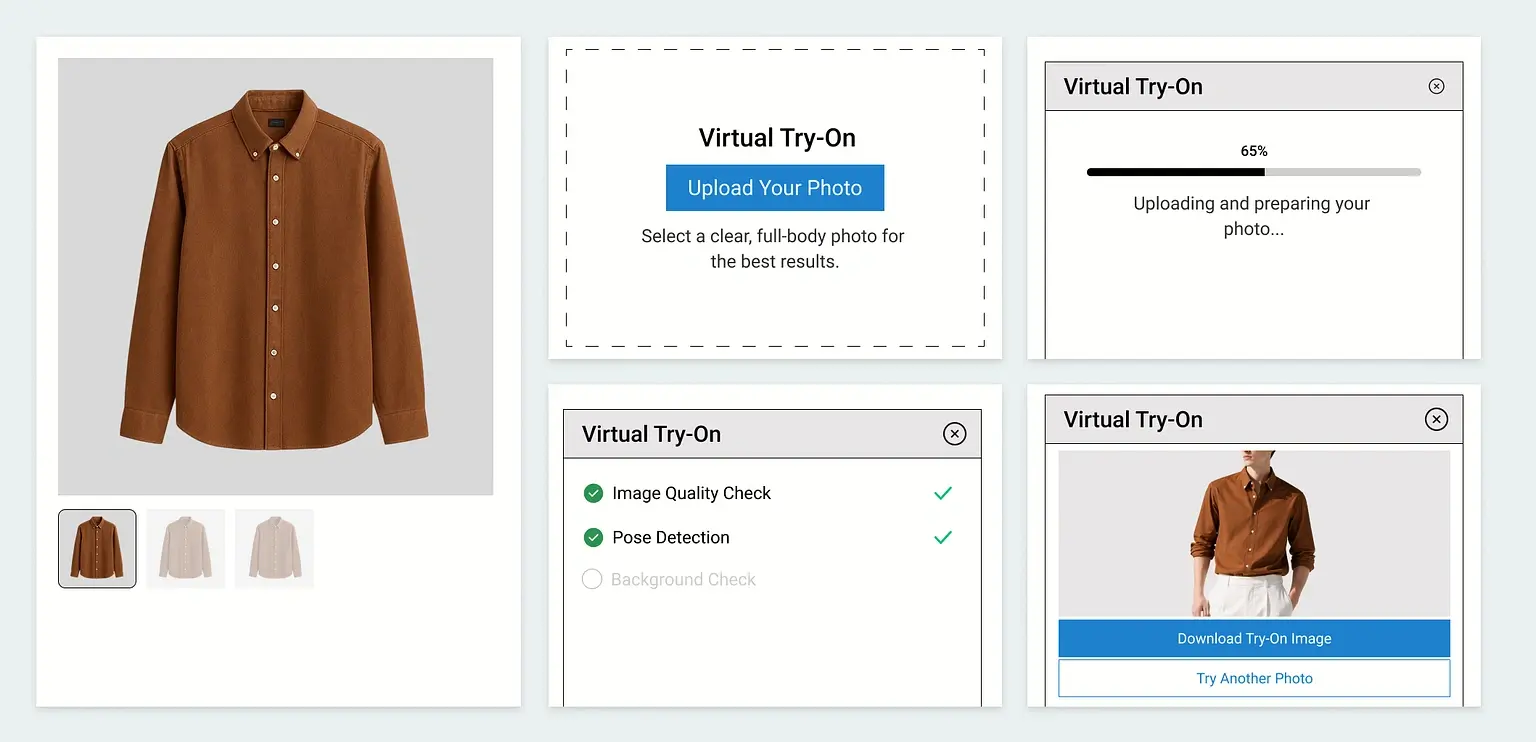
AI photo validation filters poor uploads — bad lighting, cropped faces, blurry images — before processing. The result is cleaner output and less wasted compute on inputs that were never going to render well.JPG and PNG support
The two formats that cover ~99% of real-world product imagery and shopper uploads.Requirements
Modern Gutenberg-era WordPress installs are fully supported.
Most managed WordPress hosts already meet this baseline. PHP 8.x is also supported.
The plugin hooks directly into WooCommerce product pages — no custom theme work required.
You will authenticate the plugin against your VTryOn workspace during step 2 of install.
Install in four steps
1. Install the plugin
Upload the VTryOn plugin ZIP to your WordPress install via Plugins → Add New → Upload Plugin, then activate it. The plugin registers a new VTryOn settings page in the admin sidebar.2. Authenticate
Open VTryOn → Settings and paste your API key from your VTryOn workspace. The key is stored server-side and never exposed to the browser. You can rotate it anytime without downtime.3. Choose placement
Pick where the try-on button appears on product pages — above the price, below the gallery, inside the variations area, or attached to a custom hook. Theme-aware integration covers Astra, Hello Elementor, and Divi out of the box; for other themes you can use a shortcode or a single line of action-hook code.4. Sync your catalog
Hit Sync All. Products are matched to VTryOn automatically based on category and attributes. The widget goes live the moment sync completes. If you only want to enable try-on for a subset, use the per-product toggle on each product’s edit screen.Placement and segmentation tips
Start with your top categories
Enable try-on first for the categories where fit and appearance drive the most returns — for most fashion brands that is outerwear, denim, and statement pieces. Measure the lift before rolling it out catalog-wide.Skip SKUs where it adds no value
Socks, basics, and accessories like belts often do not benefit from a try-on widget. Use per-product toggles to keep the experience focused.Use login-required for wholesale
If you run a B2B portal or members-only lookbook, enable login-required mode so try-on is gated behind authentication.Frequently asked questions
Yes — the plugin hooks into WooCommerce product pages. For non-WooCommerce stores, use the embeddable widget or REST API directly.
Under 5 minutes from plugin install to first try-on. Sync time depends on catalog size but runs in the background.
Yes — credentials are stored server-side and never exposed to the browser. The plugin proxies all VTryOn API calls through your WordPress server.
JPG and PNG.
Yes. The plugin offers a storewide toggle, category-level toggles, and per-product toggles. You can also restrict try-on to logged-in users with the login-required mode.
WordPress 5.8 or newer, PHP 7.4 or newer, an active WooCommerce installation, and a VTryOn account.
Get the plugin
See the live demo at vtryon.legresca.ai/demo, read the WooCommerce integration page at vtryon.legresca.ai/integrations/woocommerce, or contact the Prestious team for the plugin and onboarding support.